
Coates Library welcomes visitors, researchers, alumni, and community guests. Learn about public access, borrowing privileges, guest technology access, parking, and library policies before your visit.
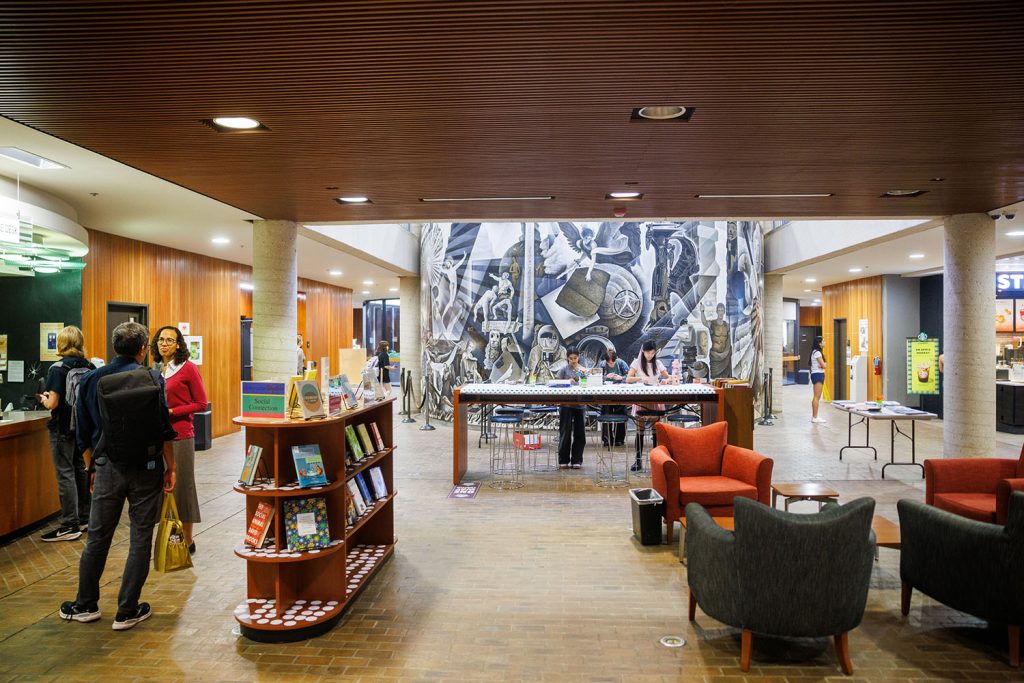
Visitor Information
Coates Library is open to public visitors, alumni, researchers, and community guests.
The information below explains what visitors can access in the building, including
directions, borrowing options, guest technology access, public study areas, and
available equipment.
Public Access
Coates Library is open to the public Monday through Friday, 8 a.m. to 6 p.m.
Holiday closures and schedule changes are reflected on our
hours page.
Directions and Parking
Coates Library is located on Trinity University’s campus. Visitors may use
Google Maps for directions to the library and should review campus parking
information before arriving.
If you are parking on campus, use the walking directions link below to find
the route from visitor parking to Coates Library.
Borrowing Materials
Coates Library participates in the statewide TexShare Card program. Visitors
with a valid TexShare card from their home institution, usually a college,
university, or local public library, may borrow physical materials from
Coates Library.
Due to licensing restrictions, e-book lending is not available through the
TexShare Card program. Visitors may also be able to borrow items from Coates
Library through their home library’s interlibrary loan service. For more
details, see
Borrow & Renew.
Guest Wi-Fi and Computers
Campus visitors may connect to Trinity’s guest Wi-Fi network, TUAccess.
Guest accounts are active for 1 day.
Instructions for connecting to TUAccess are available through ITS.
Visitors may obtain a temporary guest login for use on library computers by visiting
the Library Service Desk on the 3rd floor. Guest credentials expire at the end of the day.
Visitors may access many of the Library’s electronic resources on library computers
or on the campus guest wireless network. Access to specific databases, e-books,
streaming media, and other electronic resources may be limited by licensing agreements,
authentication requirements, or technical restrictions. As a result, some resources
are not available to visitors, even when accessed from campus.
Remote access to licensed electronic resources is not available to visitors.
For details about which licensed library resources visitors can access and how access works,
see
Visitor Access to Online Resources.
Public Spaces, Study Rooms, and Lockers
Visitors are welcome to use public areas of the Library. Due to high demand,
private study rooms and lockers are limited to currently enrolled Trinity
students.
Printing, Scanning, and Microform
A scanner is available for public use free of charge. Visitors should bring
a USB flash drive to save scanned files.
Printing is available in the Library for $0.10 per page. Guests will need a
USB flash drive to input saved documents into the print release terminal.
Guest print cards can be purchased from the kiosk in the Library, and value
can be added there or online.
The Library has a digitized microform reader, but guests must provide their
own USB flash drives to save scanned images.
The Library no longer has a publicly accessible copier.
Starbucks Pickup
Visitors may select the library Starbucks as the pickup destination for
mobile orders. Please keep the Library’s operating hours in mind when
placing an order.
Donating Materials
Thank you for thinking of Coates Library. The Library cannot accept on-the-spot,
unsolicited donations, so please contact us before bringing materials to the
Library.
Gift policies
provide contact information and details about procedures for accepting donated
materials.
Questions? Contact the Service Desk